
Computer repair since 1996
Expert PC Repair in St. Charles, MO
We have been repairing desktop computers in St. Charles since 1996. A lot of the time you do not need to come in at all. Call, tell us what it is doing, and we will tell you straight which kind of job it is.
Since 1996
Rated 4.5★ on Google (90+ reviews)
Walk-ins Mon to Fri, 9am to 6pm
Remote repair available
Start here
Two ways to get it fixed
Software problems
Remote repair
If the trouble is in software, and most trouble is, we connect to your computer over the internet and fix it. You watch the entire session on your own screen, and nothing happens that you cannot see. When we are finished the connection closes.
- Email that stopped sending or receiving
- A machine that has gotten slow for no obvious reason
- Viruses, pop-ups and a browser full of things nobody installed on purpose
- Windows updates that will not finish, or finished and broke something
- Printers and network drives that disappeared
- Software that will not install, open or license
- Setting up a new computer and moving your files onto it
- Getting backup running so the next problem is smaller
If you are elderly, housebound, working from home, or just do not want to lose an afternoon to a round trip, say so when you call. We would rather save you the drive than sell you one. More on how our remote support works.
Hardware problems
Bring it in
Anything that needs hands on the hardware has to come in. Walk in Monday through Friday, 9am to 6pm. No appointment, and there is parking right out front.
- A dead power supply
- A failed or clicking drive
- A machine that will not boot far enough for us to reach it
- Overheating, failed memory or a dead motherboard
We do not repair machines while customers wait. A rushed look in a waiting room is how things get missed, and it is worth nothing to you. Your machine is checked in on a ticket and tracked from the minute it hits the bench.
What we fix
The problems we see every week
Most desktop problems fall into a short list, and after thirty years the list does not change much.
It will not power on, or it powers on and never reaches Windows
Random shutdowns, freezes and blue screens
A machine that used to be fine and now takes five minutes to open a browser
Hard drives and SSDs that are failing, clicking, or already gone
Viruses, malware and ransomware
Overheating, fans running full tilt, dust packed into the heatsink
Bad power supplies, failed memory, dead motherboards
Printers, Wi-Fi and network problems that look like computer problems
Windows that will not update, or updated and broke something
Machines usually warn you before they quit. If yours has started acting strange, read our list of warning signs that show up before a computer crashes. Catching it early is the difference between a repair and a data recovery. If it is already crashing, here are the common causes and what to check.
In-shop repairs
How an in-shop repair works
1
Check in
Your machine gets checked in on a ticket at the counter and you leave with the number, so it is tracked from the minute it hits the bench.
2
Diagnose
We find what is actually wrong. Diagnostic time is billable here, and you will know what the look costs before you hand the machine over.
3
We call you
Someone calls you with what is wrong and what fixing it costs. Nothing gets repaired before you agree to it.
4
Pick it up
When it is fixed, we call you to come get it. The tech who worked on your computer goes over what was wrong and what we did, so you can ask any questions.
Not worth fixing?
We will say so and tell you what we would buy instead. We are not running the free estimate that gets earned back inside an inflated repair bill. See our new computers and used desktops and laptops.
One-on-one tech sessions
Sometimes the machine is fine and the problem is that nobody has ever shown you how the thing works. Call 636-442-2776 to book a session, and one of our techs will sit down with you and go through whatever you want, at whatever pace you want.
Before it breaks
The repairs that hurt are the ones where the hardware is replaceable and the photos are not. A drive can be swapped in an afternoon. Twenty years of pictures cannot. Start with the folders that actually matter, or let us set up backup that runs on its own. That one we can set up remotely.
Office PCs
A broken PC in an office is one person not working. We lean on remote support so they are usually back to work the same morning. Most business customers stop calling about individual repairs once they are on managed IT, because we see the drive failing before they do. When a repair is not the right answer, we also build desktops and workstations to order.
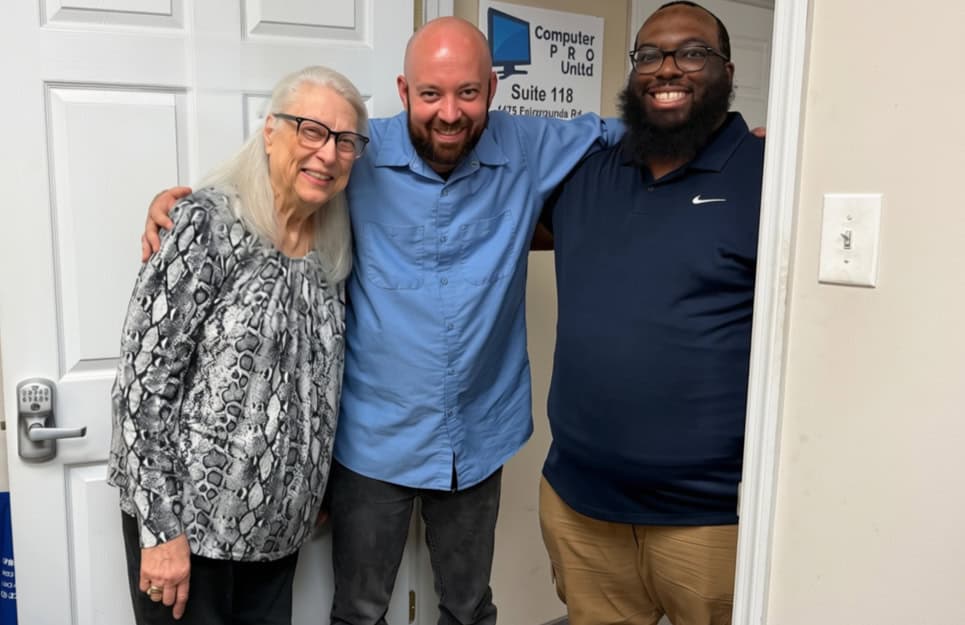
Look for Suite 118. That's us at the door.
Visit the shop
Where our customers drive in from
When a machine does have to come in, most of them come from close by. We see a steady stream out of St. Charles, St. Peters, O'Fallon and Wentzville, plus Florissant and the rest of St. Louis.
Remote support has no drive attached to it at all, so if you are further out than that, it makes no difference to us where you are.
Call us or bring it by
1475 Fairgrounds Rd., Suite 118, St. Charles, MO 63301
Monday to Friday, 9am to 6pm. No appointment needed.
Already a customer? Submit a ticket